
Your warranties, documents and reminders — organised in one app.
CheckMyWarranty helps you keep purchase records, warranty information, important documents and everyday reminders easier to find and manage.


Purchase records and important dates rarely live in one place
Bills, warranty cards, documents and dates end up scattered across paper files, phone galleries, messaging apps, inboxes and memory.
The problem today
- Bills and warranty cards saved in different places, or lost with packaging.
- Important documents spread across email, cloud drives, paper files and phone galleries.
- Renewal, service and expiry dates tracked in notes, chats or memory.
- Details you need — model, serial number, purchase date — hard to find when it matters.
With CheckMyWarranty
- Add a product with its bill, warranty details and location in one record.
- Organise documents into clear categories inside the Vault.
- Set reminders for renewals, services and important dates in one place.
- Search across your added records to find what you need faster.
Warranty, Vault and Reminders
Each module works on its own — and together they cover most of the paperwork of everyday life.
Warranty
Keep purchase details, bills, warranty cards and service information for the products you own.
- Add product, brand, purchase date and warranty details
- Attach bills and warranty cards
- Note free-service dates and service history
Vault
Organise personal, family, property, medical, education, finance, vehicle and other important documents.
- Group documents by category
- Add title, date, notes and attachments
- Search across your saved documents
Reminders
Keep renewals, services, subscriptions and personal dates in one organised system.
- Add reminders with category, date and notes
- Review upcoming dates in a list or calendar
- Cover renewals, services and personal dates
A simple workflow across every module
- 1
Choose a module or category
Open Warranty, Vault or Reminders and pick the category that matches what you want to organise.
- 2
Add details and attachments
Enter the important information and attach a bill, warranty card or document where useful.
- 3
Organise important dates
Note purchase, warranty, service or renewal dates so they stay associated with the right record.
- 4
Search, review and get reminders
Find records later, review upcoming dates and receive reminders that you have configured. Notification delivery depends on your device and app settings.
Everyday records, in one app
Grouped examples of what people commonly organise inside CheckMyWarranty.
Home appliances & electronics
Refrigerators, washing machines, air conditioners, televisions, phones and laptops.
Vehicle records
Registration papers, insurance, service records and other vehicle documents.
Insurance & renewals
Health, motor and home insurance renewals, plus policies you want to remember.
Personal & family documents
ID documents, family records and personal paperwork you often need to find.
Property & financial
Rental agreements, ownership papers, financial and tax-related documents.
Medical & education
Prescriptions, medical reports, certificates and education records.
Subscriptions & dates
Subscriptions, memberships and personal dates you don't want to forget.
Everyday paperwork
Anything else you would rather organise once and look up later.
A closer look inside the app
A quick tour of the main screens across Warranty, Vault and Reminders.
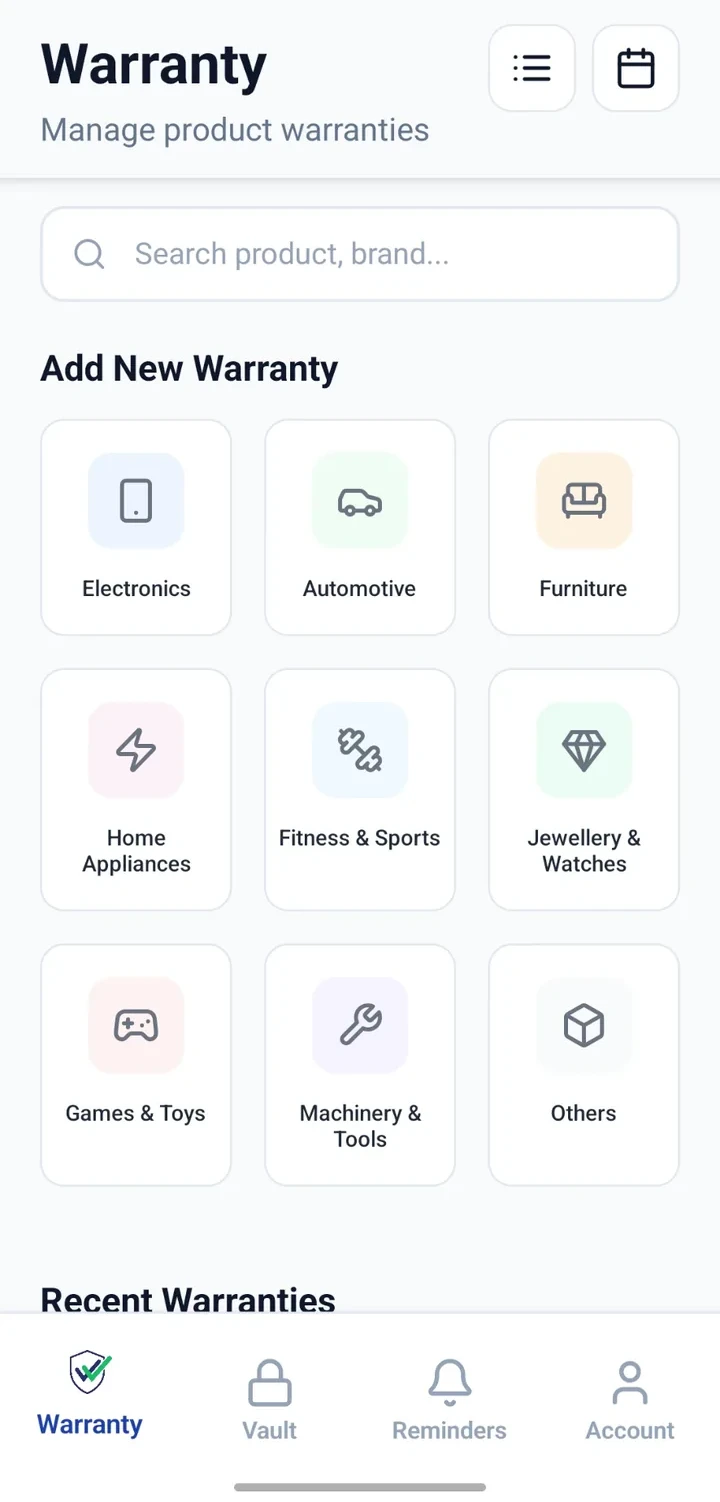
Warranty home
Browse products by category from the Warranty home screen.
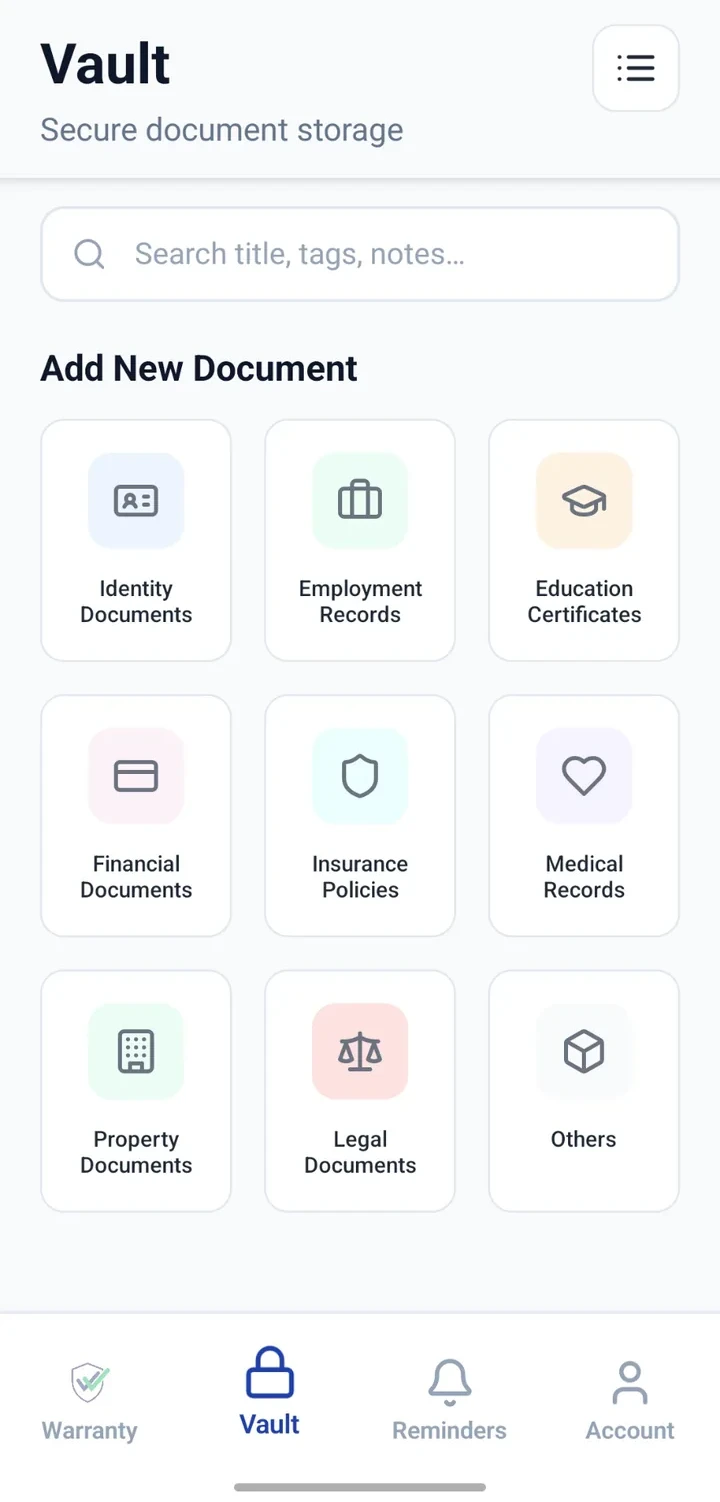
Vault home
Organise documents across personal, family and property categories.
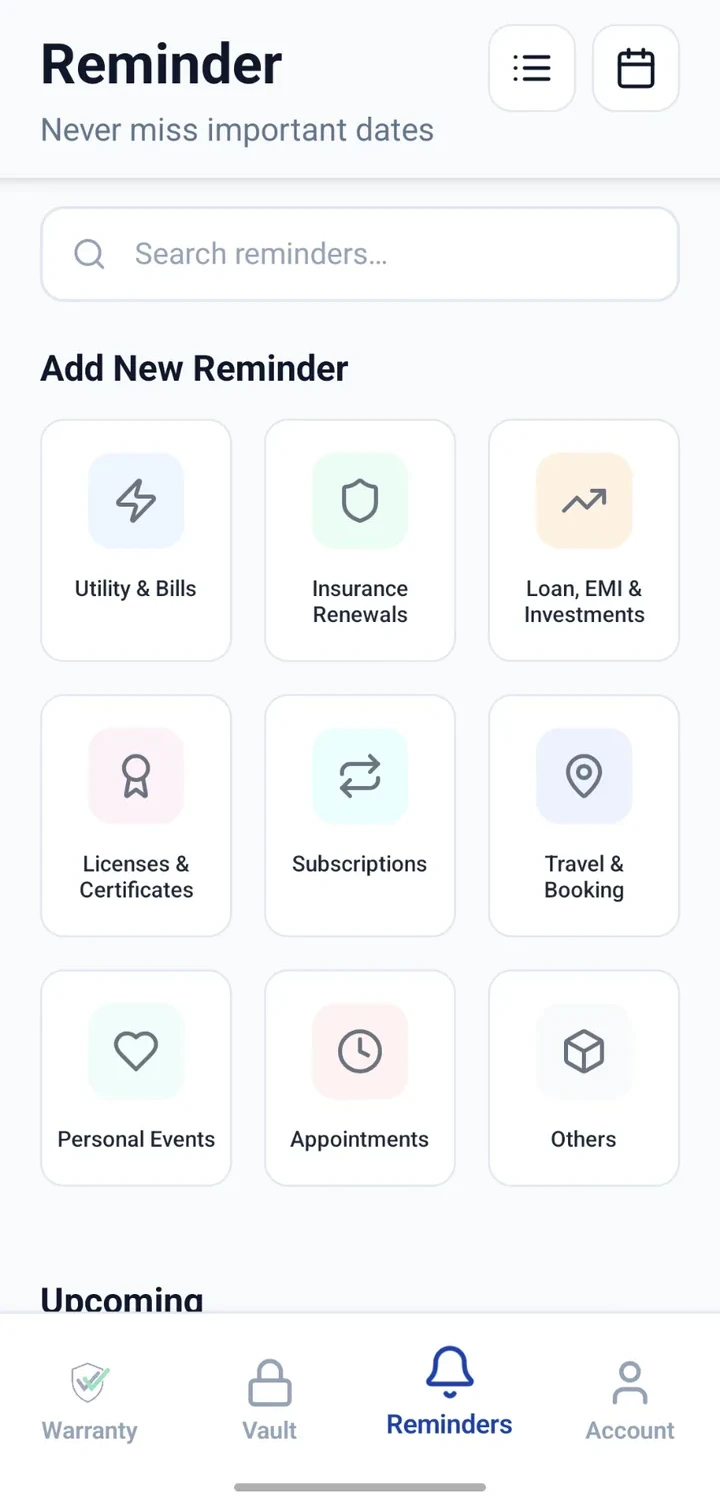
Reminders home
Group reminders by category to see what is coming up.
Why people organise their records here
Spend less time searching
Records grouped by product, category and date so you can find what you need faster.
Keep information together
Bill, warranty card, notes and reminders live alongside the product or document they belong to.
Stay aware of important dates
Track warranty, service and renewal dates in one organised place.
Organise by context
Use categories, locations and notes to match how you actually think about your records.
Fewer scattered files
Move from paper folders and email searches to one consistent structure.
Reminders in one place
Keep the dates that keep everyday life moving in a single list.
What each module is for
| Module | Best used for | What you add |
|---|---|---|
| Warranty | Products, bills, warranty details and service information. | Product details, purchase date, warranty period, bill, warranty card, service notes. |
| Vault | Important documents and supporting information. | Document title, category, date, notes and attached files. |
| Reminders | Dates, renewals, events and recurring obligations. | Reminder title, category, date, recurrence and notes. |
Frequently asked questions
Bring your warranties, documents and reminders together
Download CheckMyWarranty on Android or iPhone and start organising in minutes.