
Remember the dates that keep life moving.
Add reminders for renewals, services, subscriptions and personal obligations — based on the details you enter.


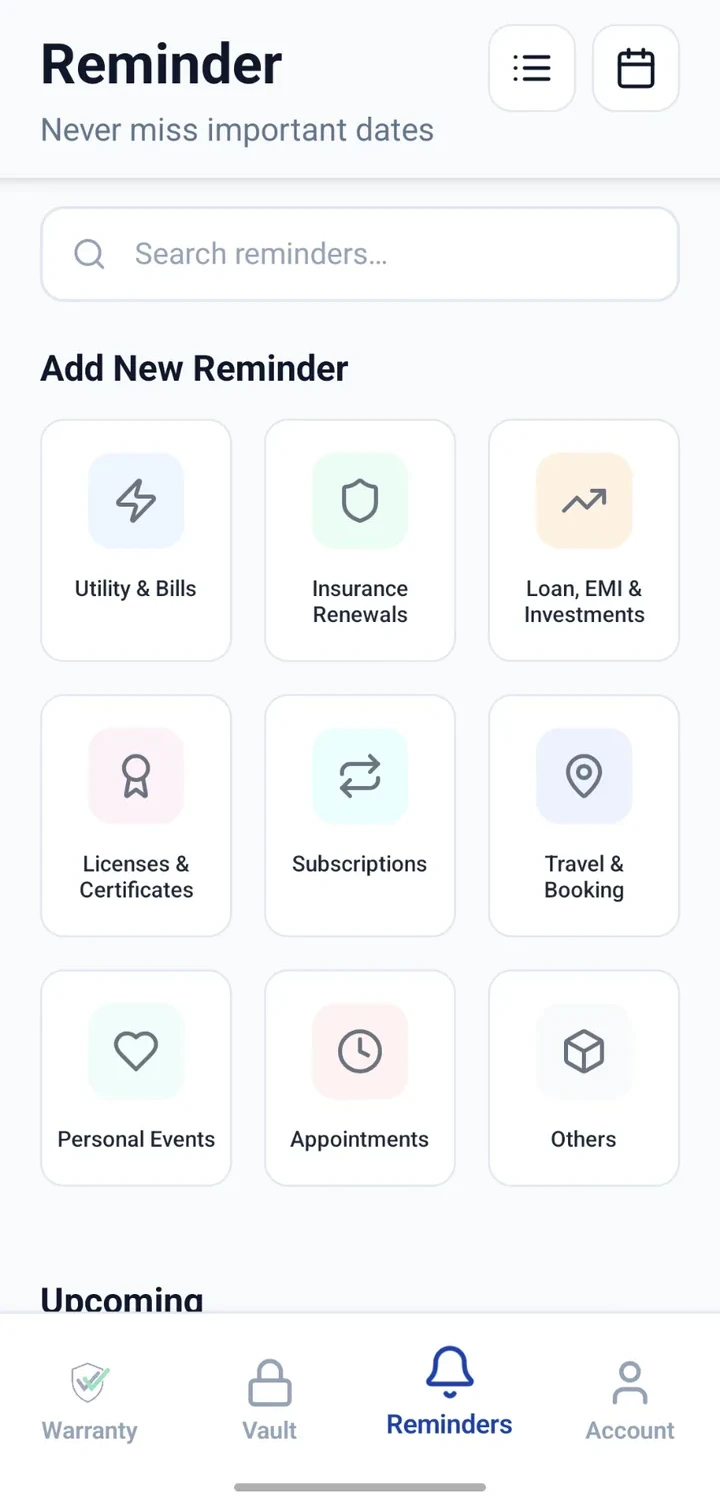
Important dates are easy to lose track of
The problem today
- Insurance renewal comes up unexpectedly.
- Vehicle service date passes without being noticed.
- A subscription renews before you decide whether to keep it.
- Licence or passport expiry approaches without a nudge.
- Utility or household maintenance dates are difficult to track.
- Personal dates end up scattered across calendars and notes.
With CheckMyWarranty
- Add an insurance renewal reminder in one place.
- Set a service reminder for each vehicle.
- Track subscription renewals so you can decide before they charge.
- Add expiry reminders for licences and passports.
- Group household reminders alongside personal ones.
- Bring personal dates into the same organised system.
Categories that cover everyday reminders
Insurance renewals
Health, motor, home and other insurance renewals.
Vehicle services
Regular service, pollution/PUC checks and other vehicle dates.
Utility & payment dates
Bill dates and other regular payment reminders.
Policies & licences
Track renewal dates for policies and licences you hold.
Passport & visa expiry
Add expiry reminders well ahead of the actual date.
Subscriptions
Track subscriptions so renewals don't take you by surprise.
Birthdays & anniversaries
Keep personal dates in the same organised system.
Home maintenance
Household maintenance dates you want to remember.
Custom reminders
Anything else you would rather not keep only in memory.
Adding a reminder, step by step
- 1
Choose a reminder category
Pick the category that best matches the reminder, such as insurance, vehicle or subscription.
- 2
Add title and date
Enter a clear title and set the date the reminder is for.
- 3
Configure recurrence & timing
Where supported, set the reminder to repeat or configure when the alert should appear.
- 4
Add notes & details
Include any details that help you act on the reminder later.
- 5
Review in list or calendar
See upcoming reminders in a list or a calendar view.
- 6
Manage as you go
Update or remove reminders as your dates change.
Ways to organise your reminders
Categories
Group reminders by category to see what is coming up in each part of life.
Date & time
Add reminders for specific dates and, where supported, times.
Recurrence
Set repeating reminders for renewals and recurring obligations, where supported.
Notes
Add notes that make it easier to act on the reminder when it appears.
List & calendar views
Switch between a simple list and a calendar to plan ahead.
Upcoming view
Focus on the dates that are coming up first.
Where reminders help most
Insurance & policy renewal
Add renewal dates well before the policy ends.
Car or bike service
Set a reminder for the next service date each vehicle needs.
Appliance maintenance
Track maintenance dates for home appliances.
Passport / licence expiry
Add reminders that give you time to renew before the expiry date.
Subscription renewal
Track subscription renewals so you can decide before they charge.
Birthdays & anniversaries
Keep the personal dates you care about in the same list.
Household obligations
Anything else you would rather not keep only in memory.
Why keep reminders here
Important dates in one place
One organised system instead of dates spread across notes and calendars.
Review upcoming responsibilities
See what is coming up before it becomes urgent.
Separate by category
Keep vehicle, insurance, subscription and personal dates neatly separated.
Less reliance on memory
Add a reminder once instead of trying to remember every date.
Clearer view of the month ahead
Use the calendar view to plan the weeks ahead.
Recurring responsibilities
Where supported, set reminders to repeat so recurring dates keep coming back.
A note about reminders
Reminder FAQs
See it applied to real scenarios
Keep the dates that keep life moving in one place