
Family documents, organised inside your own account.
Keep documents relating to different family members organised in your CheckMyWarranty account — from family policy PDFs to your child's education certificates.


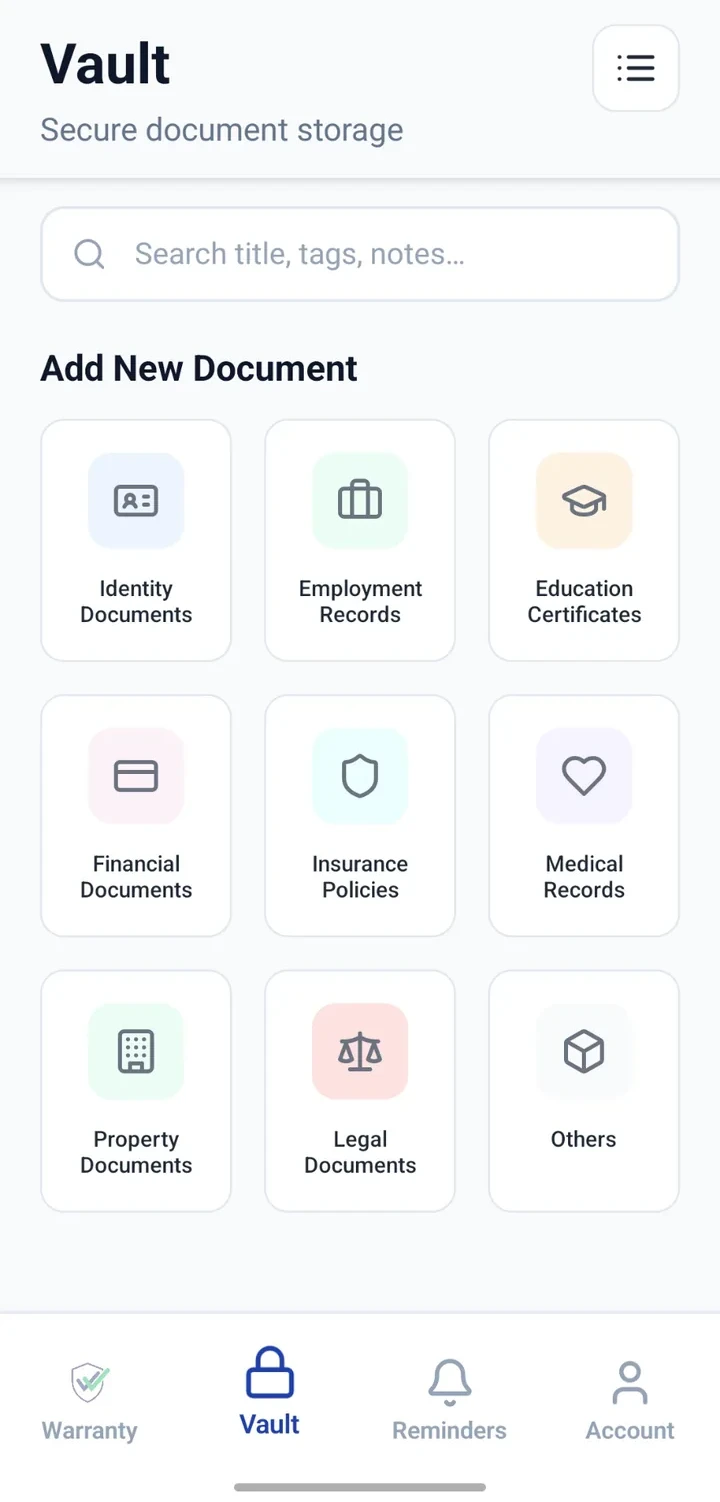
When would you use this?
What usually goes wrong
Documents mixed across email, gallery and drawer.
Difficult to find a specific certificate for a specific person.
Renewal or expiry dates lost between family members.
No consistent structure — every family stores things differently.
Practical ways the app supports this
Create Vault entries tagged with the relevant family member's name in the title or notes.
Attach related documents to each entry.
Note key dates and add reminders for expiries or renewals.
Search by member name or document type.
Use your device's native sharing to send a specific file when needed.
Step by step
A simple flow for adding and organising records.
- 1
Decide the naming convention
For example: 'Wife — Health Policy 2026', 'Child — Class 10 Marksheet'.
- 2
Create Vault entries
Add one entry per document with a clear title and category.
- 3
Attach the files
Upload scans or PDFs of the actual documents.
- 4
Add reminders
For anything with an expiry — insurance, passport, admission dates.
- 5
Use native sharing
When a family member needs a file, share via WhatsApp, email or AirDrop from your device.
Why this matters
Consistent structure across a family's documents.
Faster retrieval when someone needs something.
Expiry reminders shared informally through native device sharing.
Personal notes preserve context.
A note on scope
Frequently asked questions
Related product pages
See how the underlying modules work in more detail.
Related use cases
Other everyday scenarios covered on this site.
Related guides
Practical guides on these topics are being prepared.
Bring your family's documents into a clear personal system.
Install CheckMyWarranty and start organising your first family member's documents.
Available now on Android and iPhone.