
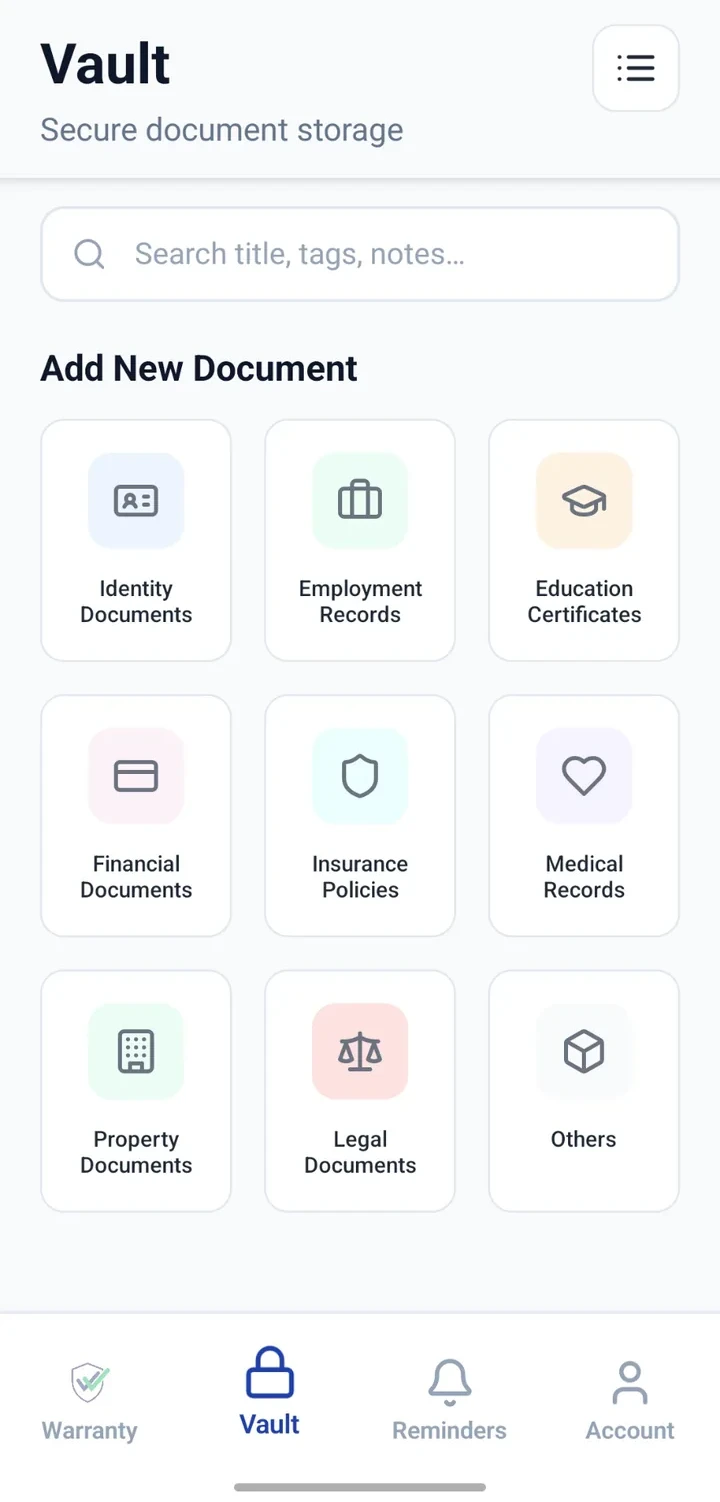
Important documents, categorised and searchable.
Keep identity, vehicle, insurance, property, financial, education, medical and office documents organised by category — with notes and expiry reminders.


When would you use this?
What usually goes wrong
Documents scattered across email, gallery and file managers.
Multiple versions of the same document.
Category confusion — is a PAN identity or financial?
No consistent naming across years.
Practical ways the app supports this
Categorise documents at the point of upload.
Add notes describing when and why the document was issued.
Attach scans or PDFs directly to the entry.
Add reminders for expiries where relevant.
Search across the entire Vault.
Step by step
A simple flow for adding and organising records.
- 1
Pick the top 10 documents
Identity, insurance, taxes, medical, licence, education, property, office.
- 2
Create a Vault entry each
Choose the right category and give it a clear title.
- 3
Attach the file
Upload the scan or PDF of the actual document.
- 4
Add expiry reminders
For anything time-bound — passport, licence, policy.
- 5
Review annually
Once a year, sweep through and refresh anything out of date.
Why this matters
Immediate access when a document is asked for.
Fewer duplicate copies stored across apps.
A single search across every category.
Peace of mind before travel, exams or appointments.
A note on scope
Frequently asked questions
Related product pages
See how the underlying modules work in more detail.
Related use cases
Other everyday scenarios covered on this site.
Related guides
Practical guides on these topics are being prepared.
Give every important document one calm place.
Install CheckMyWarranty and add your first ten important documents.
Available now on Android and iPhone.